Access Initial Configuration Screen - APM Power
| Step 1: |
| Connect your APM device into the computer via the recommended USB cable. |
| Step 2: |
|
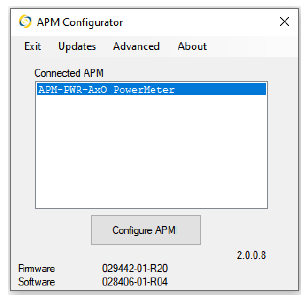
| The APM model will show in the APM configurator screen. |
|
| Step 3: |
|
|
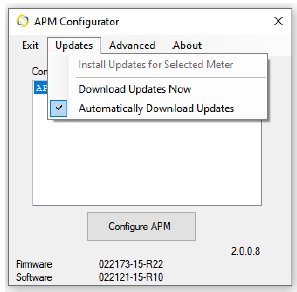
Check for updates for your specific model.
- Click on Updates
- Check to see if the Install Updates for Selected Meter is highlighted.
- If highlighted, click on Install Updates for Selected Meter.
|
|
| Step 4: |
| Let the updates complete and then click on Configure APM. |
Did this answer your question?
Thanks for the feedback
There was a problem submitting your feedback. Please try again later.

